KEY TAKEAWAYS
- The wrench light on a commercial truck has three possible causes: a scheduled maintenance interval based on engine hours or mileage, a stored fault code at service-required severity, or a fleet manager-set reminder configured in telematics.
- Urgency depends entirely on which of the three triggered it. A maintenance reminder usually allows the current route to finish. A fault-triggered light at Major or Critical severity does not.
- Engine hours matter as much as mileage on a commercial truck. A truck idling four hours a day builds real engine wear without the odometer moving much at all.
- This blog covers three wrench light causes in fleet trucks, urgency by scenario, what a driver should report to dispatch, and how telematics surfaces the reason before the light ever appears.
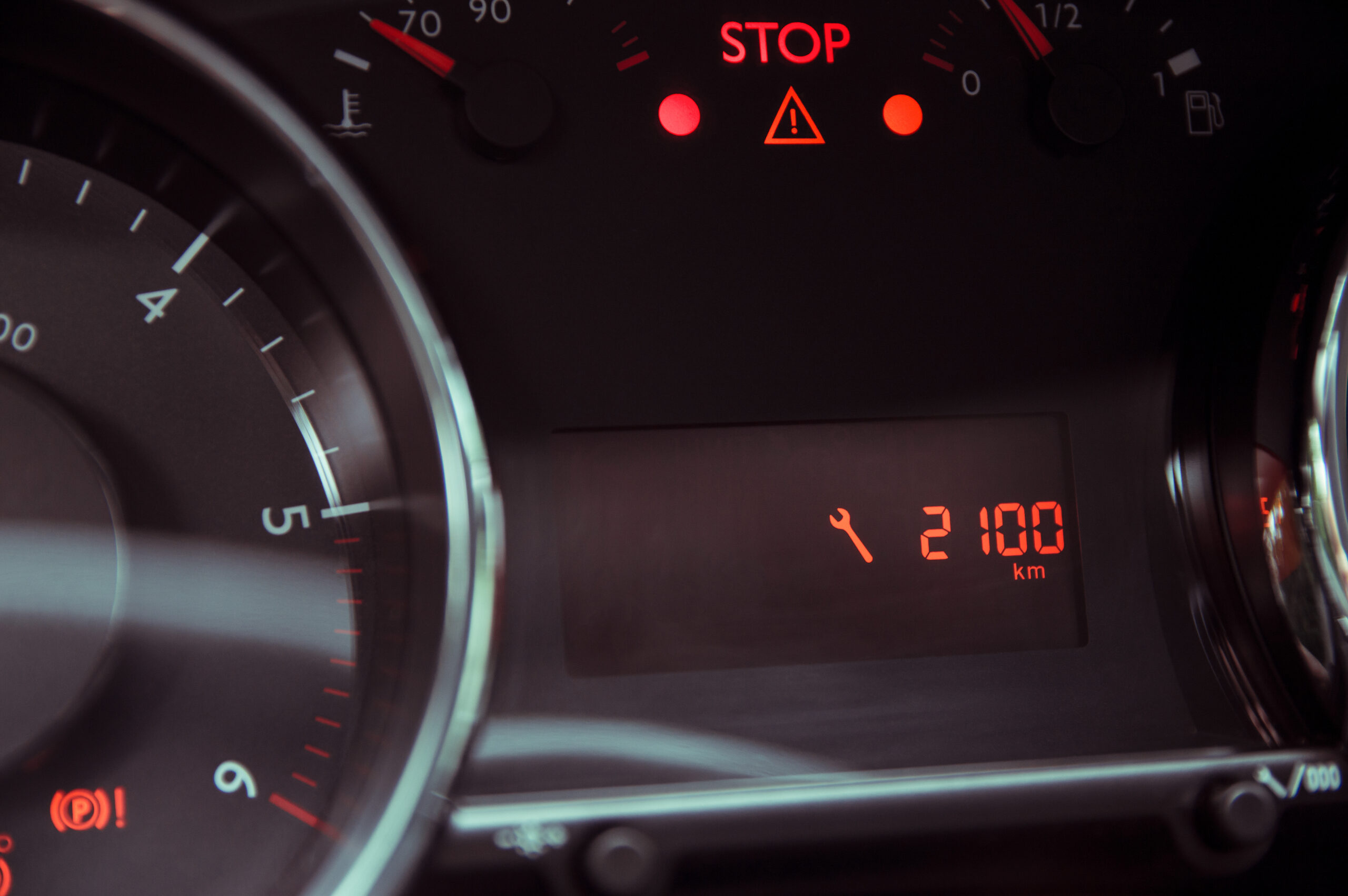
The wrench light is a maintenance indicator that tells a driver something on the vehicle needs attention soon, sometimes now, sometimes whenever the truck is next in a bay. On a passenger car, that almost always means an oil change is due. On a commercial truck, the same icon can mean three genuinely different things, and each one carries a different level of urgency.
A scheduled maintenance interval, a stored fault code, and a fleet manager’s own custom reminder can all light up the same wrench icon on the dash. A driver looking at it has no way to tell which one it is just by staring at the symbol, and that distinction is exactly what decides whether the truck finishes its route or needs to stop.
This blog covers those three causes, how urgent each one actually is, what a driver should report to dispatch when the light comes on, and how fleet telematics tends to already know the answer well before the light does.
What the wrench light looks like in commercial trucks, and why it differs by OEM
Every major truck OEM, Freightliner, Kenworth, Peterbilt, International, Volvo, and Mack, uses some version of a wrench or spanner icon on the driver information display, and every one of them names and colors it slightly differently depending on the model and dash generation, appearing amber or white depending on the OEM and how severe the underlying trigger is.
A fleet running five different truck brands can end up with five different dashboard presentations of the exact same type of alert. That inconsistency disappears once telematics is in the picture: the platform surfaces the underlying fault code or service interval as one standardized alert, so a fleet manager sees the same notification regardless of which brand of truck sent it.

3 Causes of the wrench light warning in commercial trucks, and the urgency of each
1. Scheduled maintenance interval reached
This is the most common trigger. Commercial trucks track engine hours alongside mileage for service intervals, because a truck idling four hours a day at a dock or job site accumulates real engine wear without the odometer reflecting much of it at all. Heavy Duty Trucking’s idle reduction coverage makes the same point: idle hours burn real fuel and add real engine time that a mileage-only service schedule never sees. Once the engine hours threshold or the mileage threshold is reached, whichever comes first, the OEM dashboard triggers the wrench light.
Urgency here is low. The current route can typically be completed, with service scheduled for the next available window. What a driver reports to dispatch: the light is on, no performance symptoms. Fleet managers who set their own intervals in telematics, rather than relying on the OEM default, get service scheduling that actually matches how their trucks are used.
2. Stored fault code at service-required severity
This is the distinction that trips up anyone used to consumer cars. When a fault code is stored, many commercial truck OEMs trigger the wrench indicator alongside the check engine light, sometimes instead of it, depending on severity. Intangles classifies these fault codes by Minor, Major, and Critical severity to give fleet managers a consistent framework across mixed-OEM fleets, since the underlying OEM systems don’t use uniform severity labeling themselves. A consumer car manual treats the wrench light as an oil reminder. On a commercial truck, the same icon can mean a Minor code that lets the truck finish its run, or a Critical one that means stopping immediately. The severity is the decision point, not the icon itself.
Minor codes can wait for the next available service window. Major codes should get scheduled before the next loaded run. Critical codes mean the truck should not keep operating.
3. Fleet manager-triggered service reminder
The third cause is specific to fleets already running a telematics platform. A fleet manager can set a custom reminder tied to a specific vehicle, such as an alert when a truck crosses a set distance since its last brake inspection, and that reminder can be configured to populate a dashboard indicator on compatible vehicles in addition to notifying the platform directly. Urgency is low since this is a planned prompt, not a fault. The real value is that it takes the maintenance schedule out of a driver’s memory entirely.
What commercial truck drivers should do when the wrench light appears
Start by noticing whether anything about how the truck drives has actually changed. Power loss, rough idle, or an unusual sound alongside the light points to something more urgent than a routine reminder. Check the driver information display too, since most modern trucks show a severity level or short fault description next to the wrench icon rather than leaving a driver to guess.
From there, call dispatch with four things: the wrench light status, any change in how the truck performs, any other dashboard warnings showing at the same time, and the current load along with distance to the destination. If the light is on and the truck is running noticeably differently than normal, treat it as Major until dispatch says otherwise.
One more thing worth knowing: routing through a weigh station or port of entry with an active fault-triggered warning light carries real risk. FMCSA’s inspection and maintenance requirements require a vehicle to be in safe operating condition at all times, and CVSA inspectors can place a truck out of service under the North American Standard Out-of-Service Criteria if the underlying fault meets the threshold, regardless of whether the driver even knew the code was serious.
How fleet telematics knows before the wrench light appears
For a fleet running InRoute, the wrench light on a dashboard is usually a late signal, not an early one. InGenious reads diagnostic data continuously off the CAN bus, so a pending fault code can surface in the platform before it escalates to a stored code and triggers the dash indicator, depending on the fault and how the vehicle’s ECU reports it. By the time the light is physically on, the alert has often already reached the fleet manager’s phone and simply sat there unactioned.
The same logic applies to maintenance intervals. InRoute tracks engine hours and mileage per vehicle across the whole fleet, not just the odometer reading, so a truck idling four hours a day gets serviced on the correct interval regardless of what the mileage alone would suggest. This is the same commercial truck dashboard warning lights cluster covered in the companion piece on what the triangle exclamation point means.
Intangles’ answer to the wrench light problem isn’t a better icon. It’s removing the guesswork the icon creates in the first place: standardizing Minor, Major, and Critical severity across every OEM in a mixed fleet, tracking engine hours alongside mileage so a service interval reflects how a truck is actually used, and surfacing the pending fault or the coming interval on a fleet manager’s screen before the wrench light ever reaches the dash.
One icon, three completely different situations, and a driver has no way to tell which one they’re looking at. That’s the actual problem with the wrench light, and it isn’t solved by a driver squinting at a symbol harder. It’s solved by knowing the cause before the light turns on at all, whether that’s a Critical fault three states from the nearest shop or a brake inspection reminder that can wait until Friday.
That distinction is exactly what a fleet manager needs on hand before dispatch takes the next call about a lit-up dashboard.
Discover how Intangles’ predictive vehicle health monitoring flags maintenance needs before the dashboard does.
KNOW MORE
Frequently Asked Questions
What does the wrench light mean on a commercial truck?
It signals one of three things: a scheduled maintenance interval reached on engine hours or mileage, a stored fault code at service-required severity, or a custom reminder a fleet manager set through telematics. Unlike a passenger car, where the wrench light usually just means an oil change is due, a truck’s wrench light can range from a routine reminder to a signal that the vehicle should stop operating, and the icon alone doesn’t tell a driver which one it is.
Can I keep driving a fleet truck if the wrench light comes on?
It depends on what triggered it. A scheduled maintenance reminder or a Minor severity fault code usually allows the current route to finish, with service scheduled for the next window. A Major fault code should get addressed before the next loaded run, and a Critical fault code means the truck should not continue operating. If the light comes on alongside any noticeable change in how the truck drives, treat it as urgent until dispatch confirms otherwise.
Is the wrench light on a commercial truck the same as on a passenger car?
Not functionally. On many passenger vehicles, the wrench icon is primarily a routine service reminder with little urgency attached. A commercial truck’s wrench light can indicate that same kind of routine reminder, but it can also indicate a fault code at Intangles’ Major or Critical severity tier, tied to a DOT inspection risk, which is a categorically different situation. The icon looks similar across vehicle types, but the range of what it can mean on a truck is much wider.
Why does a commercial truck use engine hours instead of just mileage for maintenance intervals?
Because mileage alone misses a large share of engine wear on trucks that spend a lot of time idling. A truck sitting at a loading dock or job site for hours accumulates real wear on the engine without the odometer moving proportionally. Tracking engine hours alongside mileage catches that wear accurately, which is why most commercial truck OEMs and fleet maintenance programs use whichever threshold, hours or miles, is reached first. Predictive vehicle health monitoring can track both engine hours and mileage across vehicles in a fleet.
How can fleet managers know which fault code triggered the wrench light without plugging in a scan tool?
A telematics platform reading diagnostic data continuously off the vehicle’s CAN bus can surface the specific code, its severity, and often a likely root cause directly to a fleet manager’s dashboard without anyone connecting a scan tool. Intangles’ InRoute identifies the code behind the wrench light before a driver even calls in about it. Fleet diagnostic data can provide this level of visibility across vehicles without requiring a manual scan at the time of the alert.






We’re looking forward to meeting you